A monitor in the wrong place makes you lean forward, tilt your head up or squint, and by the end of the day your neck, shoulders and eyes complain. The fix is not expensive. Getting monitor height and distance from desk right comes down to two checks: the top of the screen at or just below eye level, and the screen about an arm’s length away, roughly 20 to 30 inches.
This guide gives you those numbers, a quick table for different setups, fixes for laptops and two monitors, and a few tips for lighting and small desks. It is general guidance, not medical advice.
Quick Answer: Monitor Height and Distance From Desk
- Height: the top of the screen at or just below eye level.
- Distance: about an arm’s length, roughly 20 to 30 inches; at least 20 inches.
- Angle: the center of the screen about 15 to 20 degrees below eye level.
- Position: directly in front of you, not off to the side.
- Posture: back supported, feet flat, head upright.
What the Guidance Says
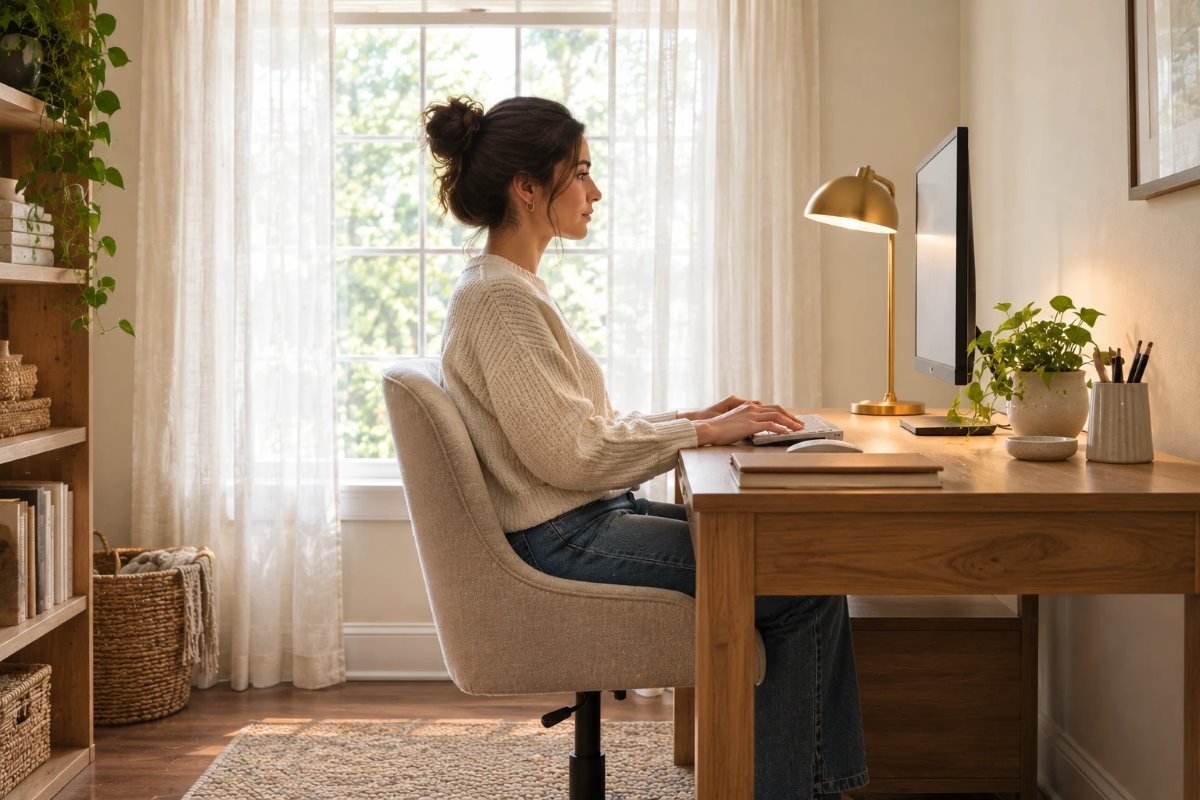
OSHA’s computer workstation guidance says the monitor should sit directly in front of you and at least 20 inches away, with a preferred viewing distance of about 20 to 40 inches, and that the top line of the screen should be at or below eye level. The center of the screen should be about 15 to 20 degrees below horizontal eye level. In practice, that means the best monitor height and distance from desk is a relaxed head, a straight neck and no leaning.
Quick Setup Table
| Setup | Height check | Distance check |
|---|---|---|
| Single monitor | Top of screen at or just below eye level | About 20 to 30 in |
| Large or ultrawide monitor | Move it back; top still at or below eye level | About 28 to 36 in |
| Laptop | Raise the screen on a stand; add a keyboard | About 20 to 30 in |
| Two monitors | Main monitor centered; second angled | Same distance for both |
| Standing desk | Re-check eye level when you stand | Same as seated |
The numbers are starting points. Adjust if you wear bifocals or need to lean forward to read.
How to Measure
Sit in your normal chair with your back supported and your head relaxed. Look straight ahead and notice where your eyes land on the screen. If your eyes hit the top edge, the height is about right; if you look at the middle of the screen with your chin tilted up, it is too high. Extend your arm toward the screen: your fingertips should just reach it. Adjust, then sit for ten minutes to confirm.
Monitor Too High or Too Low
A screen that is too high makes you tilt your head back and strains the neck. One that is too low makes you hunch. Use a monitor stand, a sturdy stack of books or an adjustable arm to raise it, and lower the desk surface or the screen if it is too tall. A small change of an inch or two is often enough.
Laptops
A laptop screen is too low when it is on the desk, so you look down all day. Raise it on a stand and use a separate keyboard and mouse so you can place the screen at the right height. This is the single biggest fix for laptop users working from home, and it lets monitor height and distance from desk follow the same rules as a full monitor.
Two Monitors
If you use one screen most of the time, center it in front of you and put the second at an angle. If you use both equally, place them side by side, with the inside edges together, and sit in the middle. Keep both at the same height and distance.
Large and Ultrawide Screens
A bigger screen needs more distance, so you can see the whole image without turning your head. Move it back a few inches and enlarge the text if needed. A deep desk helps, and a monitor arm can free up space.
Lighting and Glare
Glare makes you lean forward and squint. Place the monitor at a right angle to windows, not directly in front of or behind them, and use curtains or blinds to soften the light. A desk lamp should light the desk, not reflect in the screen; our guide to desk lamp height for a home office shows where to put it.
Small Desks and Tight Spaces
On a small desk, use a monitor arm to free surface space, or put the screen on a shelf riser. A wall-mounted desk or a closet setup still needs the same monitor height and distance from desk; see our guide to a closet home office for small spaces and our home library office ideas for small spaces for layouts that work.
Breaks and Habits
Even a perfect setup is no substitute for movement. Stand up, stretch and look at something far away every so often. If your eyes feel dry or your neck hurts, check the setup again and consider talking to a professional.
Doing This as a Renter
Renters can use freestanding stands and clamp-on arms that do not need drilling. If you clamp to a desk, protect the surface with a pad. Avoid drilling into walls without permission.
Budget and Timing
You can fix most setups for very little: a stack of books, a laptop stand or a shelf riser. A good monitor arm costs more but frees desk space. The whole adjustment takes about 15 minutes.
Where to Start If This Is Your First Time
Sit at your desk, look straight ahead and check where the top of the screen is. Raise or lower it until it is level with your eyes, then move it to an arm’s length. Sit for a few minutes, then adjust again. This is the quickest way to dial in monitor height and distance from desk.
Safety
Make sure stands and arms are rated for the weight of your monitor, route cables so no one trips, and keep drinks away from electronics. Do not drill into walls without checking for wires and pipes.
Quick Recap
Top of the screen at or just below eye level, about an arm’s length away, directly in front of you. Check it sitting and adjust a little. The right monitor height and distance from desk makes a long workday easier.
Standing Desks and Mixed Setups
If you use a standing desk, check monitor height and distance from desk in both positions, since your eye level changes when you stand. Many people save two height settings on the desk. A monitor arm lets you pull the screen closer or push it back in seconds, which is useful if you share the desk.
Common Mistakes to Avoid
- Leaving a laptop flat on the desk.
- Setting the monitor too close. Aim for an arm’s length.
- Placing the screen to the side. Face it directly.
- Ignoring glare from windows.
FAQs
How far should a monitor be from your eyes? About 20 to 30 inches, and at least 20.
How high should a monitor be? The top of the screen at or just below eye level.
Should I tilt my monitor? A slight upward tilt can reduce glare.
What about a laptop? Raise it on a stand and use a separate keyboard.
Do I need a monitor arm? Not necessarily; a stand or books work.
Does a bigger screen need more distance? Yes, move it back a few inches.
Tools and Basics to Gather
A tape measure, a monitor stand or sturdy books, a laptop stand, a separate keyboard and mouse, cable ties and a notebook to record the numbers that work for you.
The Bottom Line
Getting monitor height and distance from desk right is quick: the top of the screen at or just below eye level, about an arm’s length away, and directly in front of you. Check it sitting, adjust a little, and recheck after a few days. Your neck and eyes will thank you.
Related:
Desk Lamp Height for a Home Office · Closet Home Office for Small Spaces